


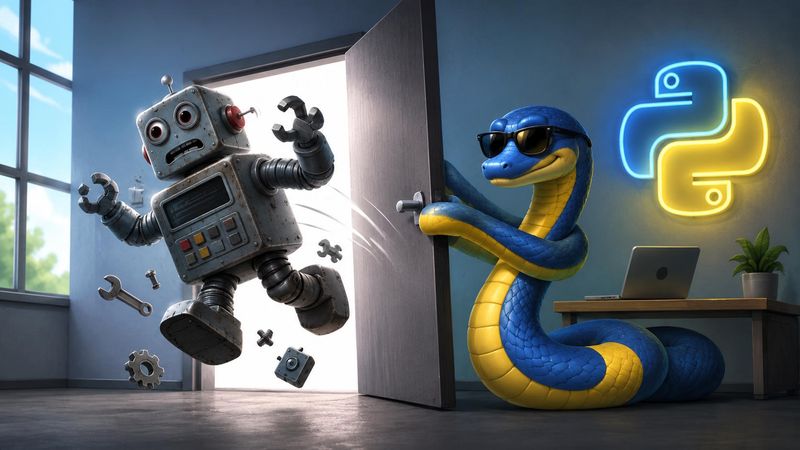
Replacing UI Robots with Python: A Lightweight, Code-First Approach to Desktop Automation
Most "RPA" platforms sell you a heavy visual robot: you drag boxes around a canvas, record clicks, and hope the recording still works next week. It usually doesn't. The moment a window moves, a button is renamed, or the app repaints a fraction of a second late, the robot falls over.
There's a simpler path. With a few hundred lines of plain Python you can drive almost any desktop application directly through its accessibility tree — the same interface screen readers use — and get automation that is faster, more reliable, and infinitely easier to debug than a black-box UI robot.
Here's how, and why it's worth it.
The core idea: talk to the UI tree, not the pixels
Every native Windows application exposes its controls through UI Automation, Microsoft's accessibility layer. Buttons, labels, text fields, and containers all live in a searchable tree, each with properties like a name, a control type, and a stable AutomationId.
Instead of "click at pixel (842, 517)", you say "find the control whose AutomationId is next-button and invoke it." That single shift is what makes code-first automation robust.
In Python, the uiautomation library gives you direct access:
import uiautomation as auto

# Find the application window by its title
app = auto.WindowControl(searchDepth=1, Name="My Application")

if not app.Exists(maxSearchSeconds=3):
    raise RuntimeError("App is not running.")

app.SetActive()  # bring it to the foreground
From there you walk the tree to reach any control you need.
Finding controls that survive change
A recorded robot remembers a screen coordinate. Your Python script remembers intent. Search by the most stable identifier available, and fall back gracefully:
def find_next_button(app):
    # Prefer the stable automation id...
    btn = app.Control(searchDepth=12, AutomationId="next-button")
    if btn.Exists(maxSearchSeconds=0.5):
        return btn

    # ...then fall back to visible labels, including localized ones
    for label in ("Next", "Continue", "Weiter"):
        btn = app.Control(searchDepth=12, Name=label)
        if btn.Exists(maxSearchSeconds=0.5):
            return btn

    return None
This one function already beats most recorded robots: it works regardless of window position, DPI scaling, or theme, and it keeps working even if the UI is translated into another language.
Re-find controls every loop (the stale-reference trap)
The single biggest reason home-grown automation breaks is stale references. You grab a handle to a button once, the screen re-renders, and that handle now points at nothing.
The fix is boring and bulletproof: look the control up again on every iteration. Don't cache it across state changes.
while True:
    button = find_next_button(app)   # fresh lookup every pass
    if button is None:
        print("Control no longer present — stopping.")
        break

    # ... do work ...
    button.Click()
Re-finding costs a few milliseconds and eliminates an entire category of flaky failures.
Knowing when the screen actually changed
Clicking is easy. Knowing whether the click did anything is where real reliability lives. UI robots typically just sleep(2) and pray. You can do far better by comparing the actual screen content between steps.
Grab the window's pixels and hash them. If the hash is identical to the previous step, the UI hasn't updated yet — so wait and re-check instead of blindly marching on:
import hashlib
from PIL import ImageGrab

def screen_hash(window):
    rect = window.BoundingRectangle
    img = ImageGrab.grab(bbox=(rect.left, rect.top, rect.right, rect.bottom))
    return hashlib.md5(img.tobytes()).hexdigest(), img

last_hash = None
retries = 0

curr_hash, img = screen_hash(app)
while curr_hash == last_hash and retries < 3:
    retries += 1
    time.sleep(1.0)                 # let the render settle
    curr_hash, img = screen_hash(app)

if curr_hash == last_hash:
    print("Screen unchanged — likely reached the end.")
    break

last_hash = curr_hash
This gives you two things for free:
- A self-timing wait. You proceed the instant the screen is ready, not after a fixed guess — faster on quick steps, patient on slow ones.
- A natural stop condition. When the content stops changing (end of a list, last page, a stuck dialog), the loop detects it and exits cleanly instead of hammering a dead button forever.
The complexity cliff of point-and-click
Simple linear sequences are easy in a visual robot. But as soon as you need slightly more complex control structures, point-and-click becomes a stumbling block.
Real-world automation is rarely just a straight line. You encounter unpredictable pop-ups, pagination that requires while loops, error conditions needing try/except blocks with retry strategies, and data-dependent branching.
In a drag-and-drop RPA tool, expressing these concepts often results in "visual spaghetti" — a tangled web of conditional boxes, nested containers, and routing arrows that is incredibly difficult to read, maintain, or refactor. The visual abstraction that was supposed to make things easier suddenly fights you at every turn.
In Python, complex control flow is just standard programming:
for item in work_queue:
    try:
        process_item(app, item)
    except auto.LookupError:
        # Did an unexpected "Session Expired" modal appear?
        modal = app.WindowControl(searchDepth=1, Name="Session Expired")
        if modal.Exists(maxSearchSeconds=0.5):
            modal.ButtonControl(Name="OK").Click()
            login(app)
            process_item(app, item)  # Retry
        else:
            raise  # Unhandled error, bubble it up
Code gives you if, while, try/except, and functions. You don't have to contort your logic to fit into a proprietary flowchart engine; the language is inherently built to handle complexity gracefully.
Putting it together
The skeleton of a resilient automation loop is remarkably small:
import time

def run(app, max_steps=500):
    last_hash = None
    step = 0

    while step < max_steps:
        button = find_next_button(app)
        if button is None:
            break

        curr_hash, img = screen_hash(app)

        # Detect "nothing changed" once we're past the first step
        if last_hash is not None:
            retries = 0
            while curr_hash == last_hash and retries < 3:
                retries += 1
                time.sleep(1.0)
                curr_hash, img = screen_hash(app)
            if curr_hash == last_hash:
                break

        last_hash = curr_hash

        img.save(f"step_{step:04d}.png")   # capture evidence as you go
        button.Click()
        step += 1
        time.sleep(1.0)                    # small settle margin
Notice the max_steps guard — a hard ceiling so a misbehaving app can never trap you in an infinite loop. That kind of safety rail is trivial in code and awkward-to-impossible in a drag-and-drop robot.
Why this beats a UI robot
It's version-controlled. Your automation is a .py file. It lives in Git next to everything else, gets code-reviewed, diffs cleanly, and rolls back in one command. A binary robot project is an opaque blob you can't meaningfully review or merge.
It's debuggable. Set a breakpoint, print the tree, inspect a control's properties. When something fails you get a Python traceback pointing at the exact line — not a screenshot of a red X on a canvas.
It's resilient by construction. Searching by AutomationId and re-finding controls each loop makes it immune to window movement, DPI changes, themes, and even UI translation. Content-hash checks replace fragile fixed sleeps with real "is it ready yet?" logic.
It's fast. Talking to the accessibility tree is near-instant, and self-timing waits mean you never pay for a two-second sleep on a step that finished in 50 ms.
It has no license and no lock-in. uiautomation and Pillow are free and open source. There's no per-seat RPA license, no orchestrator server, no vendor to depend on. It runs anywhere Python runs.
It composes with everything. Because it's just Python, your automation can call an API, write to a database, parse a PDF, kick off a report, or feed results into a larger pipeline — all in the same script. UI robots force you back through the UI for everything; code lets you drop down to the fast path whenever one exists.
It scales down as well as up. A UI robot platform is a heavyweight commitment. A Python script is proportional: fifty lines for a small task, a structured package for a big one — and no minimum footprint either way.
When a UI robot still makes sense
To be fair: if the people maintaining the automation can't (or won't) touch code, a visual RPA tool lowers the barrier. And some legacy or heavily-canvas-rendered apps expose almost nothing through the accessibility tree, forcing you back toward image matching regardless of tooling.
But for the large majority of desktop automation — clicking through native applications, extracting data, capturing screens, driving repetitive workflows — a small, well-structured Python script is the better engineering choice. It's cheaper, clearer, sturdier, and it belongs to you.
Takeaways
- Drive apps through the UI Automation tree, not screen coordinates.
- Search by
AutomationIdfirst, with name-based fallbacks (including localized names). - Re-find controls every iteration to defeat stale references.
- Use screen-content hashing for self-timing waits and clean stop conditions.
- Embrace code for complex control flow instead of building visual spaghetti in a drag-and-drop tool.
- Always include a hard step limit as a safety rail.
A few dozen of lines of Python will replace most of what an expensive UI robot does — and unlike the robot, it'll still be working next month.